Panel PC specifications fall into eight groups: display, touch, processor and memory, I/O, power input, protection rating, temperature and mounting. Read each line for its test condition: front IP65 is not a sealed rear, 24 V DC nominal is not a wide input range, and a temperature figure means little without the brightness and enclosure behind it.
This guide is written by the engineering team of Beijing Huamei Xuntong Technology Co., Ltd. (TouchVision), a manufacturer founded in 2012 that designs and builds industrial displays, embedded boards, HMI panels, industrial gateways and edge AI computers.
Key takeaways
- Panel PC specifications group into display, touch, computing, I/O, power, protection, temperature and mounting.
- Front IP65 applies to the installed front face only; the rear grade is often much lower.
- Ask whether 24 V DC is a nominal value or a wide input range, and for typical and maximum power.
- A temperature range is only meaningful with its test condition: brightness, mounting and airflow.
- When a datasheet says ‘configurable’, get the exact board, memory, storage and OS of your build in writing.
What do panel PC specifications actually tell you?
A panel PC datasheet describes a computer, a display and an enclosure in one table, so each line answers a different engineering question: can operators see it, can they touch it, can it run the software, can it connect, and will it survive the site? Reading panel PC specifications well means checking the condition behind each number, not just the number.
Datasheets from Japanese, German and Taiwanese suppliers follow the same pattern, even when the wording differs. A typical industrial panel PC sheet lists the screen size and resolution, brightness in cd/m², touch type, CPU, memory and storage, ports, power input, front and rear protection grades, operating temperature and mounting method. The traps are in the footnotes.
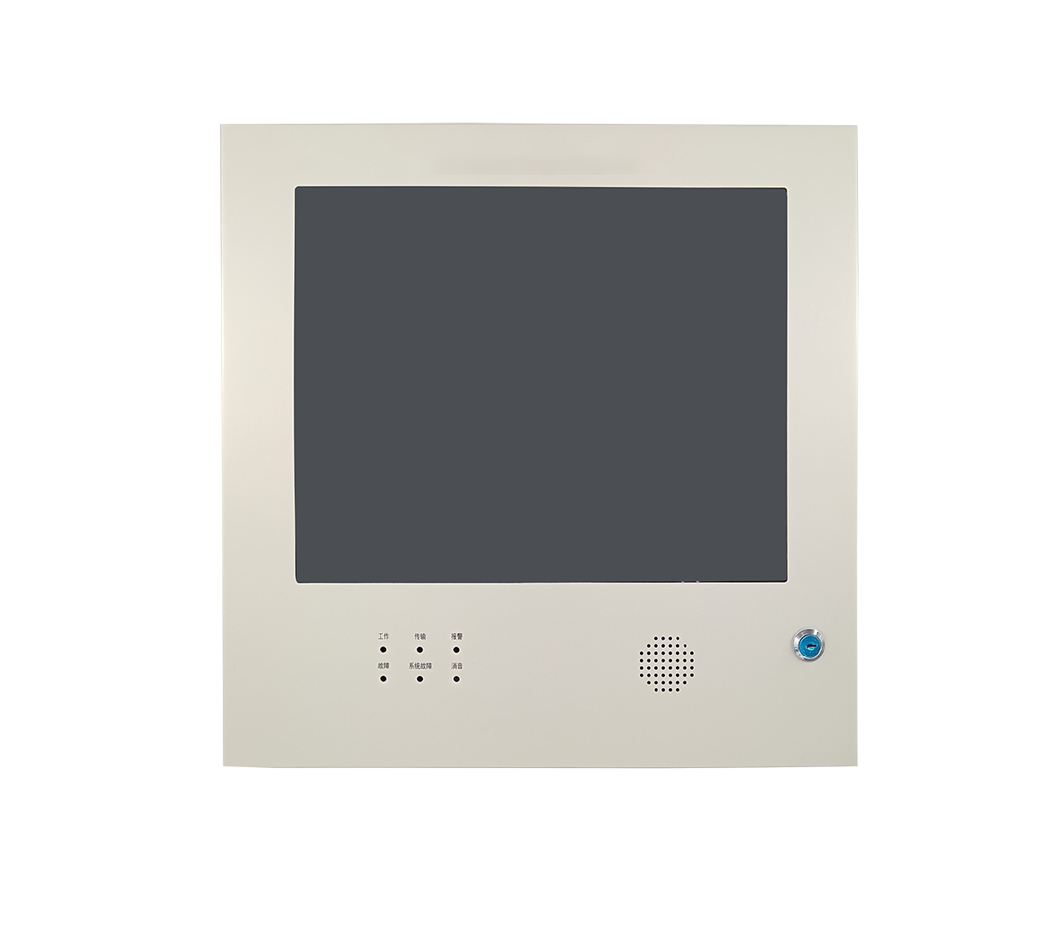
How should you read the display lines?
Check size, resolution, aspect ratio and brightness together, because they decide whether your existing HMI screens fit and whether operators can read them under the site lighting.
| Line on the datasheet | What it means | What to ask |
|---|---|---|
| Size and resolution (e.g. 17″, 1280 × 1024) | Physical diagonal and pixel grid; 1280 × 1024 is 5:4, 800 × 600 is 4:3 | Does my HMI project scale to this grid without redesign? |
| Brightness (e.g. 250 cd/m²) | Luminance at the panel, usually before touch glass | Is it measured with the touch sensor fitted? Is a high-brightness option available? |
| Colours (e.g. 16.7M) | 8-bit colour depth | Relevant for camera views and trend graphs |
| Viewing angle | Angle at which contrast stays acceptable | Will operators look from the side or from below? |
For example, the TouchVision TV-IN17TP-BG-PLUS and TV-IN17P-MINI both use a 17-inch 1280 × 1024 panel rated 250 cd/m², while the wall-mounted TV-IN08TP-BG uses an 8-inch 800 × 600 panel. Indoor cabinets are usually fine at that brightness; a unit in daylight needs a sunlight-readable option, explained in our sunlight-readable display guide.
What should you check in the touch specification?
The touch line should state the technology (capacitive or infrared), the number of touch points, and whether gloves and water are supported, because these decide how an HMI touch panel behaves in real use.
- Capacitive (PCAP): smooth flat glass and multi-touch gestures; glove and water behaviour depends on controller tuning. The TV-IN17TP-BG-PLUS uses industrial capacitive touch with single, dual and multi-touch.
- Infrared touch: works with any opaque object, including thick gloves; the TV-IN08TP-BG uses industrial infrared touch behind 2 mm tempered glass.
- Cover glass: thickness and treatment (anti-glare, anti-reflective) affect both impact resistance and readability.
Our infrared vs capacitive touch comparison covers the trade-offs in depth.
How do processor, memory and OS lines affect your HMI?
The processor and operating system decide which HMI or SCADA runtime you can run, how fast screens redraw and how long software support lasts. x86 panel PCs run Windows and standard PC software; ARM panel PCs run Linux or Android with lower power and no fan.
Some suppliers configure the processor per project instead of fixing one board. TouchVision, for example, builds its panel PCs around ARM platforms from Rockchip, TI, NXP and ST and lists processor and I/O as configurable. When a sheet says “configurable”, ask for the exact board, RAM, storage and OS image of the build you will receive. If you are weighing ARM boards, see RK3568 vs i.MX8M vs AM3354.
Which I/O lines matter for an industrial panel PC?
Count the ports you need on day one plus one spare of each type, and check where they are, because rear ports must be reachable inside the cabinet.
- Serial: RS-485 for Modbus RTU and field devices; RS-232 for scanners and legacy equipment. The TV-IN17P-MINI rear panel has 2× RS-485.
- Ethernet: one port for the plant network, a second if you need to separate the machine network.
- USB: for keyboards, scanners and updates; USB OTG helps with flashing and service.
- Storage slot: a TF card slot is convenient for logs and recipes.
- Isolation: ask whether serial and power inputs are isolated if the cabinet has long field cables.
For bus selection, see our RS-485 vs CAN comparison.
How do you read power input and temperature specifications?
A power line such as “24 V DC” may be a nominal value with a tolerance, or a wide input range; the difference matters when the cabinet supply sags or a vehicle battery is involved. A German HMI datasheet from Siemens, for example, gives a rated value of 24 V DC and a permissible range of 19.2 to 28.8 V, which is the clearest form to ask for.
| Specification | Good datasheet wording | Weak wording |
|---|---|---|
| Power input | 24 V DC nominal, stated input range, reverse-polarity protection | “DC power” |
| Power consumption | Typical and maximum watts | Not stated |
| Operating temperature | Range with the test condition (brightness, mounting, airflow) | “Wide temperature” |
| Storage temperature | Separate range for transport and storage | Missing |
| Cooling | Fanless, with heat path described | Not stated |
Fanless designs avoid the fan as a wear part and keep dust out, but they need a sensible thermal path; our fanless panel PC guide explains the limits.
What does “front IP65” mean on a panel PC?
“Front IP65” means the front face, when installed correctly in a cut-out with its gasket, is dust-tight and protected against water jets; it says nothing about the rear, which is often IP20 to IP41 and must sit inside a cabinet. IP codes are defined by IEC 60529, and suppliers frequently quote different grades for front and rear.
A Japanese datasheet from a major board maker, for instance, lists front IP65 and rear IP41 on the same panel PC, and the Siemens panel above is IP65 at the front but IP20 at the rear. Treat the rear figure as the real limit for anything mounted on a wall or open stand, and read our IP65 vs IP66 vs IP67 guide before specifying wash-down areas. TouchVision quotes the IP rating per project for its panel PCs, because the grade depends on the mounting and gasket.
How should you read the mounting specification?
The mounting line tells you how the unit attaches (panel, VESA, rack, wall or desktop) and should come with a cut-out drawing, panel-thickness range and clamp count. A Taiwanese 17-inch flush panel PC, for example, lists panel, wall, stand and VESA 100 × 100 mm mounting with a 24 V DC terminal block. VESA hole patterns are standardised by the Video Electronics Standards Association, so a VESA-ready panel PC fits standard arms and brackets.
Some models are modular. The TV-IN17TP-BG-PLUS can be used as a desktop, panel, rack or wall-mounted unit; the TV-IN17P-MINI supports panel, rack and desktop installation; the TV-IN08TP-BG is a wall-mount design. Pick the mounting that matches your cabinet first, then the computer: a panel mount needs exact cut-out dimensions and panel thickness, while a VESA mount needs the hole pattern and the weight rating of the arm.
Panel PC datasheet checklist
- Display: size, resolution, aspect ratio, brightness measured with touch fitted.
- Touch: PCAP or infrared, points, glove and water behaviour, glass thickness.
- Computing: exact CPU or board, RAM, storage, OS image and support period.
- I/O: RS-485, RS-232, Ethernet, USB, storage slot, isolation.
- Power: nominal voltage, input range, protection, typical and maximum watts.
- Protection: front and rear IP codes separately.
- Temperature: operating and storage ranges with test conditions.
- Mounting: method, cut-out drawing, panel thickness, VESA pattern.
- Compliance and warranty: CE, FCC, RoHS reports; warranty period.
For the broader decision between an HMI and a full PC, see HMI panel vs industrial panel PC, or browse our industrial panel PC and HMI touch panel range.
About TouchVision. TouchVision has designed and manufactured industrial touch displays, embedded boards, panel PCs, IoT gateways and edge AI computers since 2012, from standard models to full OEM/ODM projects. Standard products carry a 3-year warranty from delivery. For bespoke builds, see our custom industrial panel PC builds on the TouchVision OEM/ODM site, or read about us.
Frequently asked questions
What are the most important panel PC specifications?
Display size and brightness, touch type, processor and OS, serial and network ports, power input, front and rear IP rating, operating temperature and mounting method.
Does front IP65 mean the whole panel PC is waterproof?
No. Front IP65 covers the front face when it is installed in a cut-out with its gasket. The rear is often IP20 to IP41 and needs a cabinet.
Is 250 cd/m² bright enough for a panel PC?
It is typical for indoor cabinets and control rooms. Units near windows or outdoors need a high-brightness or sunlight-readable option.
What does 24 V DC nominal mean?
It is the design voltage. Ask for the permitted input range as well, so you know how the unit behaves when the supply sags or spikes.
Should I choose an ARM or x86 panel PC?
ARM suits fanless, low-power HMI duties on Linux or Android; x86 suits Windows software and heavier PC applications.
Sources and standards referenced
- IEC: IP ratings (IEC 60529)
- VESA: Video Electronics Standards Association
- MSI IPC (Japanese): MS-1A91 panel PC specifications
- Siemens (Germany): SIMATIC HMI MTP700 Unified Comfort technical data
- NEXCOM (Taiwan): APPC 1760 17-inch flush panel PC specifications
Need a recommendation for your project?
Send your drawings, quantities and environment through our RFQ form and a TouchVision engineer will reply with a recommended configuration, quotation and sample plan. You can also call or WhatsApp +86 135 0532 6001.