Infrared vs capacitive touch screen comes down to the site. Infrared (IR) frames sense any object breaking a light grid, so thick gloves, styluses and very thick vandal glass work well. Projected capacitive (PCAP) gives smoother multi-touch and a flat sealed front, but needs tuning for gloves, rain and glass thickness.
This guide is written by the engineering team of Beijing Huamei Xuntong Technology Co., Ltd. (TouchVision), a manufacturer founded in 2012 that designs and builds industrial displays, embedded boards, HMI panels, industrial gateways and edge AI computers.
Key takeaways
- Infrared senses any object that blocks a beam grid; PCAP senses a conductive finger through the glass.
- IR suits thick gloves, styluses and thick vandal-resistant glass; PCAP gives smoother multi-touch and a flat front.
- PCAP needs controller tuning for gloves, water and glass thickness; IR needs a bezel that sheds water and resists sunlight interference.
- Readability in the sun depends on brightness and glass treatment more than on the touch method.
- Accessibility rules such as South Korea’s barrier-free kiosk obligation affect the whole terminal, not just the touch sensor.
How do infrared and capacitive touch screens detect a finger?
An infrared touch screen sees a touch as a shadow in a grid of light beams above the glass, while a projected capacitive screen sees it as a change in an electric field inside or behind the glass. Almost every practical difference in the infrared vs capacitive touch screen decision follows from that one fact.
An IR touch frame lines two edges of the display with infrared LEDs and the opposite edges with photodetectors. The controller scans the beams many times per second; when something interrupts beams on both axes, it calculates the coordinates. Nothing is printed on the glass, so the cover can be any transparent sheet the frame can hold: plain toughened glass, anti-glare glass, or a laminated safety pane.
A projected capacitive (PCAP) sensor is a fine matrix of transparent electrodes laminated behind the cover glass. A conductive object, normally a bare fingertip, couples to the field and the controller measures the change at each node. Because the sensor reads the whole matrix at once, PCAP delivers the fluid multi-touch, pinch and swipe behaviour people know from phones. Japanese film-sensor maker NISSHA’s touch technology guide sets out the same split between optical and capacitive sensing and why each suits different products.
Which touch technology is better with gloves, styluses and tools?
Infrared wins whenever users wear thick or insulating gloves or press with a pen, card or tool, because the beams only need to be blocked, not electrically coupled. PCAP can be tuned for thin gloves, but heavy work gloves remain the hardest case.
German automation journal Computer&Automation describes plant operators who keep their gloves on and still need a reliable panel, which is exactly the use case where IR frames are chosen. Couriers at a parcel locker in winter, forecourt staff at a fuel dispenser and maintenance crews at an outdoor charger behave the same way.
With PCAP, glove touch depends on the controller raising its sensitivity. That works for nitrile and thin knitted gloves on many controllers, but higher sensitivity also makes the sensor more prone to false touch from water or nearby metal, so the setting is always a trade-off that has to be tested with the real gloves your users wear.
What happens with rain, dirt and cleaning?
Water is the main weakness of PCAP and dirt on the bezel is the main weakness of IR, so outdoor reliability depends on the controller and the mechanical design rather than on the label. Neither technology is automatically “the outdoor one”.
On a capacitive screen, a film of water or a running drop is conductive and can register as a touch or mask a real one. Modern controllers include water rejection that ignores large, irregular wet areas, and many can tell a finger from a wet patch, but streaming rain and salt water are still worth testing. Palm rejection and edge suppression help with users who lean on the glass.
On an IR touch frame, a drop sitting on the glass does not block beams, but a large drop or an insect resting on the bezel edge can, and the controller may report a stuck point until it is cleared. Good designs keep the beams slightly above the glass, use a raised bezel that sheds water, and let the controller “learn out” a static blockage. A flat, sealed PCAP front is easier to wipe and disinfect, which is one reason indoor food ordering and medical carts lean towards capacitive.
How does glass thickness affect vandal resistance?
Infrared touch is largely independent of glass thickness, so it suits thick, vandal-resistant covers, while PCAP sensitivity falls as the cover gets thicker and must be matched to the controller. This often decides unattended public terminals.
| Criterion | Infrared (IR touch frame) | Projected capacitive (PCAP) |
|---|---|---|
| What it detects | Any opaque object that blocks the beam grid | A conductive object coupling to the electrode matrix |
| Thick gloves, pens, cards | Works | Thin gloves after tuning; thick gloves and plastic pens are difficult |
| Cover glass thickness | Not limited by sensing; chosen for strength | Limited by controller sensitivity; thicker glass needs stronger tuning |
| Water on the surface | Usually ignored unless drops sit on the bezel edge | Needs water rejection; streaming water must be tested |
| Front surface | Raised bezel around the glass | Flat, edge-to-edge glass, easy to seal and clean |
| Multi-touch feel | Single, dual or multi-touch with gestures; less precise on fast strokes | Smooth, precise multi-touch and gestures |
| Strong direct sunlight | Ambient infrared can interfere unless the frame is designed for it | Not affected by light; glare depends on the glass treatment |
| Typical sites | Outdoor kiosks, ATMs, ticketing, lockers, forecourts, large formats | Indoor kiosks, ordering, check-in, HMI panels, medical carts |
For a terminal that may be hit with a fist or a bottle, buyers often want toughened glass several millimetres thick. With IR, the glass only has to be strong and clear; with PCAP, the stack-up of cover glass, sensor and any optical bonding must be designed together. German display distributor Display N&D makes the same point in its glossary when comparing the two options for robust installations.
Is infrared or capacitive better in direct sunlight?
Capacitive sensing ignores sunlight, while an infrared frame must be engineered to reject the infrared part of strong daylight; in both cases, readability depends far more on the LCD brightness and glass treatment. In the infrared vs capacitive touch screen comparison, sunlight is a display problem first and a touch problem second.
Japanese outdoor HMI supplier DMC treats outdoor operation as a combination of brightness, reflection control and touch choice rather than a single specification. Ask an IR supplier how the frame behaves with the sun low on the horizon shining straight into the receivers, and ask a PCAP supplier how much anti-glare or anti-reflective treatment the sensor stack-up allows. Our sunlight readable display guide covers the brightness and bonding side in detail.
Which touch screen should you choose for each application?
Choose infrared for unattended, outdoor or gloved use and for thick protective glass; choose projected capacitive for indoor terminals where users expect phone-like gestures and the front must be flat and easy to clean. The checklist below turns the infrared vs capacitive touch screen question into a quick decision.
- Will users wear thick gloves or use a stylus, card or tool? If yes, start with IR.
- Is the screen fully exposed to rain or hosing? Either can work; test PCAP water rejection, or specify an IR bezel that sheds water.
- Do you need glass thicker than the PCAP controller supports? If yes, IR is simpler.
- Do users pinch, zoom or swipe maps and menus? PCAP gives the better experience.
- Must the front be flush for hygiene or design? PCAP fits a flat, sealed front.
- Is the terminal subject to accessibility rules? Check button sizes, reach ranges and audio guidance, which matter more than the sensing method.
- How long must the part be supplied? Ask for a lifecycle commitment and a fixed bill of materials.
Accessibility is becoming a hard requirement in some markets. In South Korea, the Ministry of Health and Welfare announced that the barrier-free kiosk obligation applies in full from 28 January 2026, including kiosks installed earlier, so operators need devices that meet the accessibility verification criteria plus a voice guidance device. A barrier-free kiosk can use either touch technology; what matters is the software, layout and audio path built around it. US integrator Things Embedded also notes that the real environment, not the datasheet, should drive the touch choice.
Which TouchVision touch screens use each technology?
TouchVision builds both: an infrared touch screen series and 19-inch IR monitor for rugged public terminals, and PCAP monitors for indoor and machine HMIs. Both can be customised in size, glass and interface for OEM equipment.
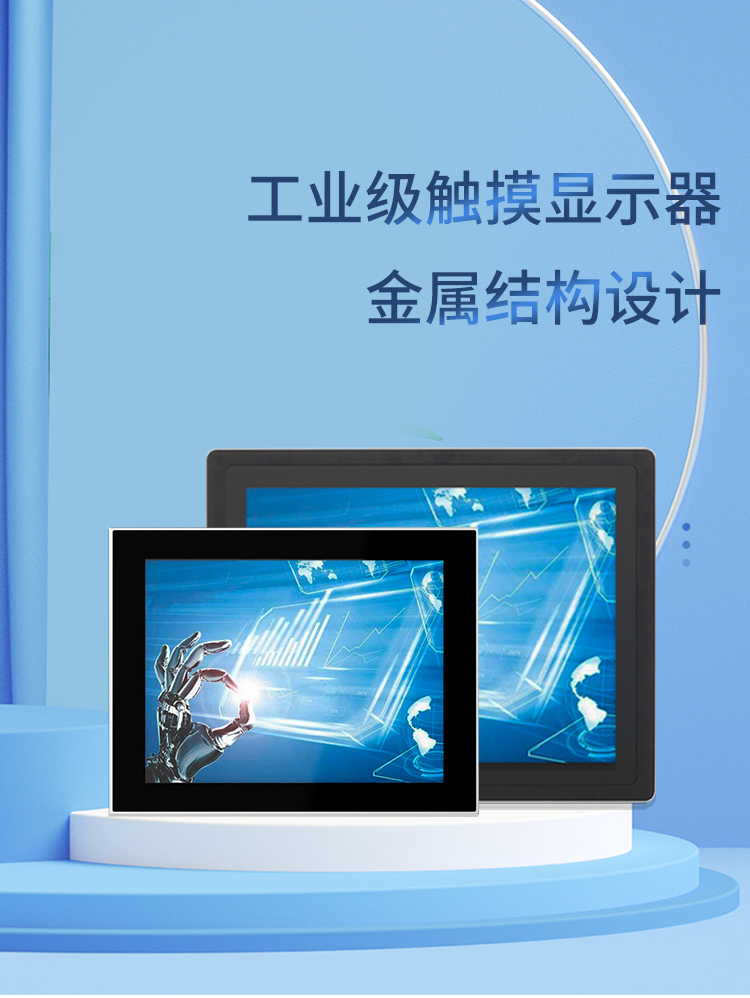
The Industrial Infrared Touch Screen Series combines a high-seal metal frame rated IP65 with 3–5 mm toughened glass in clear, anti-glare or anti-reflective versions, light transmission of 92–100% depending on the glass, an embedded controller that needs no field calibration, and a design life of more than 10 years. The TV-A19101 19-inch infrared touch monitor (1280×1024, 250 cd/m²) supports single, dual and multi-touch with gestures, works with gloves, a stylus or any opaque object, has no film layer, and connects over dual-channel LVDS with USB touch; its sealed front is waterproof, dustproof and resistant to chemicals, scratches and vandalism, and it is listed for ATM and ticketing machines.
The Industrial Capacitive (PCAP) Touch Monitor uses projected-capacitive multi-touch behind an IP65 front, is rated for 24/7 operation and can be panel-mounted, wall-mounted or used on a desk. For enclosure fit, see our comparison of open frame vs panel mount monitors; for sealing, read the IP65, IP66 and IP67 guide; and for the full spec sheet checklist, see how to choose an industrial touch screen monitor. Typical projects include self-service kiosks, smart parcel lockers, banking and ATM terminals and fuel dispensers.
About TouchVision. TouchVision has designed and manufactured industrial touch displays, embedded boards, panel PCs, IoT gateways and edge AI computers since 2012, from standard models to full OEM/ODM projects. Standard products carry a 3-year warranty from delivery. For bespoke builds, see our custom IR and PCAP touch screen design on the TouchVision OEM/ODM site, or read about us.
Frequently asked questions
Is an infrared touch screen better than capacitive for outdoor kiosks?
Often, yes. IR works with thick gloves and very thick toughened glass, which suits unattended outdoor kiosks. A well-tuned PCAP screen can also work outdoors, but test it with rain and the gloves your users wear.
Can a capacitive touch screen work with gloves?
Thin gloves usually work once the controller sensitivity is raised. Thick or insulating gloves are difficult for PCAP, and higher sensitivity increases the risk of false touches from water.
Does rain cause false touches on an IR touch frame?
Drops on the glass are usually ignored because the beams run slightly above the surface. Water or debris sitting on the bezel edge can block beams, so the bezel should shed water and the controller should ignore static blockages.
Which is more vandal-resistant, infrared or capacitive?
Infrared, in most cases, because the touch sensing does not depend on glass thickness, so a thick toughened cover can be used. PCAP can also use strong glass, but the thickness must suit the controller.
Does TouchVision offer both technologies?
Yes. TouchVision makes an IP65 infrared touch screen series with 3–5 mm toughened glass, the TV-A19101 19-inch IR monitor, and PCAP touch monitors with an IP65 front.
Sources and standards referenced
- NISSHA: touch panel technology guide (Japanese)
- DMC: HMI for outdoor applications (Japanese)
- Display N&D glossary: touch, infrared or capacitive? (German)
- Computer&Automation: glove operation thanks to infrared (German)
- Things Embedded: choosing the right touch technology for your industrial display
- Korea Ministry of Health and Welfare: barrier-free kiosk obligation in full force (Korean)
Need a recommendation for your project?
Send your drawings, quantities and environment through our RFQ form and a TouchVision engineer will reply with a recommended configuration, quotation and sample plan. You can also call or WhatsApp +86 135 0532 6001.