Should you choose an open frame touch monitor or a panel mount touch monitor? Choose open frame when the screen sits inside an enclosure you design, such as a kiosk, EV charger or vending machine. Choose a panel mount touch monitor when it fits a cut-out in a cabinet door and must seal the front itself.
This guide is written by the engineering team of Beijing Huamei Xuntong Technology Co., Ltd. (TouchVision), a manufacturer founded in 2012 that designs and builds industrial displays, embedded boards, HMI panels, industrial gateways and edge AI computers.
Key takeaways
- Open frame suits products whose own housing provides the seal and the look; panel mount suits cut-outs in existing panels.
- The key question is who owns the front seal, the appearance and the heat path.
- IP65 claims usually cover the front only, and only when installed as specified.
- Plan heat, service access, cable exit and depth before freezing the enclosure design.
- Matching an existing cut-out lets a new monitor drop into old drawings.
What is an open frame touch monitor?
An open frame touch monitor is an LCD, touch sensor and driver electronics held in a bare metal chassis with mounting points, but without a cosmetic outer housing. Sometimes called an embedded touch monitor, it is designed to be hidden inside another product, so the end user only ever sees the glass through a window in that product’s shell.
Because there is no bezel or rear cover, an open frame unit is usually the slimmest and lightest way to add a touch display to equipment. The trade-off is responsibility. The enclosure designer decides how the glass meets the housing, where the gasket goes, how air moves past the electronics and how cables are strain-relieved. Open frame monitors typically mount from behind with side or rear brackets, studs or a VESA pattern, which keeps screws hidden from the user.
What is a panel mount touch monitor?
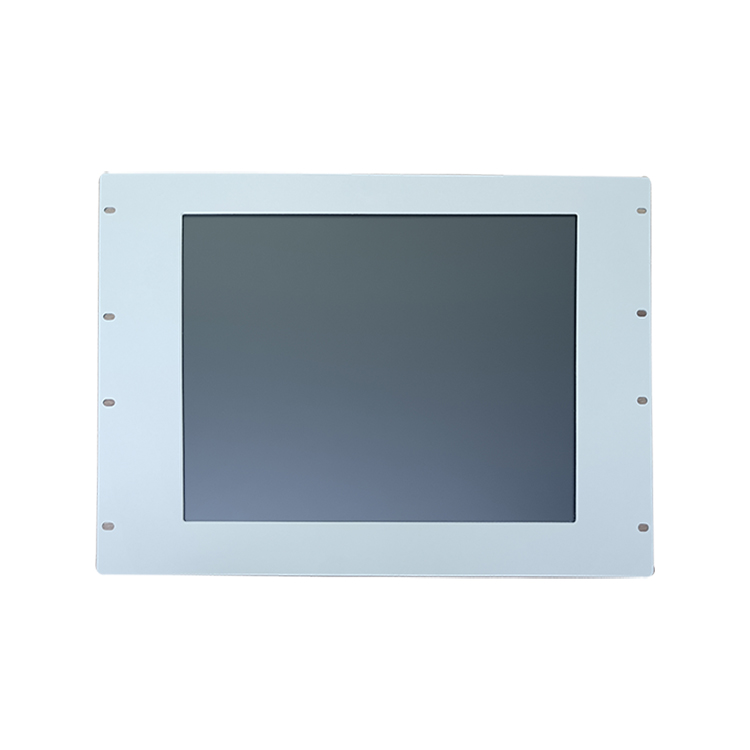
A panel mount touch monitor is a finished display with its own front bezel and gasket that clamps into a rectangular cut-out from the rear, leaving a sealed, flush or slightly raised face on the panel. It is the familiar form of an HMI screen in a control cabinet door.
The bezel does two jobs. It hides the cut edge of the sheet metal and compresses the gasket against the panel, so the front can achieve a dust and water rating once it is installed correctly. Mounting clamps or studs on the back pull the unit tight. Panel mount units suit integrators and machine builders who want a ready-made front without designing their own sealing details, and they are easy to retrofit into existing cabinets as long as the panel cut-out size matches.
Open frame vs panel mount: how do the two styles compare?
The core difference is who owns the front seal, the appearance and the thermal path: the monitor maker for panel mount, or the equipment designer for open frame. The table summarises the practical consequences.
| Factor | Open frame | Panel mount |
|---|---|---|
| Front sealing | Provided by your enclosure and gasket design | Built into the bezel; rated once installed in the specified cut-out |
| Appearance | Matches your product’s styling and branding | Industrial bezel that looks the same in any cabinet |
| Mounting | Rear or side brackets, studs, VESA mount | Panel cut-out with rear clamps or studs |
| Depth and weight | Usually the slimmest option | Slightly deeper because of bezel and clamps |
| Heat management | Depends on airflow inside your housing | Front sits in room air; rear shares cabinet air |
| Servicing | Often requires opening the host product | Usually removed from the rear of the panel |
| Engineering effort | More design work, more freedom | Less design work, fixed form |
| Typical uses | Kiosk touch screens, EV charger displays, vending machine touch screens, lockers, gaming, medical carts | Machine control doors, consoles, process skids |
Which applications suit an open frame touch monitor?
Open frame monitors are the natural choice for products whose housing is part of the brand, such as self-service kiosks, EV chargers, vending machines and parcel lockers. In these products the screen must blend into a custom front panel rather than look like a bolted-on monitor.
Open frame mounting also helps with outdoor or semi-outdoor equipment, where the enclosure maker already controls weather sealing, sun shields and ventilation. The monitor can be specified with high brightness and treated glass, then sealed into a front window designed for the whole terminal; our sunlight readable display guide explains how bright the screen needs to be. Examples of where TouchVision displays are used include self-service kiosks, vending machines and EV charging stations.
Which applications suit a panel mount touch monitor?
Panel mount monitors fit best where a screen goes into a metal door, desk or console that already exists, such as an electrical cabinet, a packaging machine or a process control station. The integrator cuts a hole, fits the unit and gets a sealed operator interface without designing a bezel.
They also make replacements simpler. If an old HMI fails, a panel mount unit with the same cut-out can drop into the same opening. For OEM programmes, TouchVision can match the outline and mounting holes of an existing display to act as a second source. That keeps cabinet drawings unchanged. See industrial automation for typical installations.
Does an IP65 touch monitor rating mean the same on both types?
On both open frame and panel mount touch monitors an IP65 claim usually refers to the front face only, and it is valid only when the unit is installed as the manufacturer specifies. The rear electronics rely on the enclosure for protection.
Under the IP code defined in IEC 60529, the “6” means dust-tight and the “5” means protection against water jets (see the IP code summary). For a panel mount unit the rating depends on the cut-out tolerance, panel flatness, clamp torque and gasket condition. For an open frame unit the seal is your design, so the finished product, not the monitor alone, is what needs to be tested. Ask suppliers whether a rating was tested or is a design target, and which installation conditions apply. TouchVision’s PCAP touch monitors and infrared touch screens are designed for IP65 front protection.
How do heat and servicing change the decision?
Heat and service access are the two factors most often missed in early design reviews, and both favour planning the enclosure around the monitor rather than the reverse.
- Heat: an open frame monitor inside a sealed kiosk shares air with PCs, power supplies and, outdoors, solar load. Budget airflow or heat sinking early, especially for high-brightness backlights. A panel mount unit’s front faces room air, but its rear still sits in cabinet heat.
- Service: think about how a technician will swap the display in the field. Panel mount units are generally removed from the rear of the door. Open frame units may require opening the host product, so place connectors and fixings where they can be reached.
- Cables: confirm cable exit direction and the free depth behind the screen. These are among the most commonly changed details in OEM projects.
Which questions decide between open frame and panel mount?
Who seals the front, how the unit is serviced, how much depth and heat the enclosure allows and what volume you expect usually decide the mounting style; answer the questions below before requesting quotations.
- Is the screen going into a housing you design, or a cut-out in an existing panel?
- Who is responsible for the IP rating of the finished product?
- Does the front need to carry your branding and styling?
- How much depth is available behind the mounting surface?
- What is the ambient temperature and how will heat leave the enclosure?
- How will the display be serviced or replaced in the field?
- Do you need to match an existing cut-out or drawing?
- Which video interface, touch type and brightness does the application need?
Which TouchVision monitors are available in each style?
TouchVision’s sunlight readable and industrial touch monitors are offered from 8 to 32 inches in open frame, panel mount, rear bracket, VESA and wall mount versions. Touch can be IR, PCAP or none, and video can be LVDS, eDP, HDMI, RGB or MIPI.
Configurations are listed on the sunlight readable and open frame touch monitors page. If you need a complete computer rather than a monitor, panel PCs such as the TV-IN17TP-BG-PLUS (17-inch, 1280×1024, capacitive touch) support desktop, panel, rack and wall mounting, and the TV-IN17P-MINI supports panel, rack and desktop mounting. Custom bezels, brackets and cable exits are handled through our OEM/ODM service.
About TouchVision. TouchVision has designed and manufactured industrial touch displays, embedded boards, panel PCs, IoT gateways and edge AI computers since 2012, from standard models to full OEM/ODM projects. Standard products carry a 3-year warranty from delivery. For bespoke builds, see our custom open frame and panel mount touch displays on the TouchVision OEM/ODM site, or read about us.
Frequently asked questions
Is an open frame monitor less durable than a panel mount monitor?
Not inherently. Both can use the same panel, glass and touch sensor. An open frame unit is as rugged as the enclosure it is built into, while a panel mount unit brings its own sealed bezel.
Can an open frame touch monitor be used outdoors?
Yes, when it is built into a weather-sealed enclosure and specified with suitable brightness, treated glass and an appropriate temperature range. The finished terminal, not the bare monitor, carries the outdoor rating.
What is the difference between panel mount and VESA mount?
Panel mount clamps the monitor into a cut-out so its front is flush with a surface. VESA mount uses a standard hole pattern on the back to attach the monitor to an arm, stand or bracket.
Do I need a mechanical drawing before ordering?
Yes. Ask for the outline drawing, cut-out size, mounting hole positions, depth and cable exit before you design the enclosure, and confirm them with a sample.
Can TouchVision replace an existing monitor without changing my cabinet?
For OEM projects TouchVision can match the outline and mounting holes of an existing part so the new display drops into the same opening.
Sources and standards referenced
Need a recommendation for your project?
Send your drawings, quantities and environment through our RFQ form and a TouchVision engineer will reply with a recommended configuration, quotation and sample plan. You can also call or WhatsApp +86 135 0532 6001.