FTMS Bluetooth is the Bluetooth SIG’s standard Fitness Machine Service. A bike, rower or treadmill exposes one GATT service that streams speed, cadence, power and distance, and a Control Point lets an app set resistance or target power. Implement it correctly and mainstream training apps connect without a custom protocol.
This guide is written by the engineering team of Beijing Huamei Xuntong Technology Co., Ltd. (TouchVision), a manufacturer founded in 2012 that designs and builds industrial displays, embedded boards, HMI panels, industrial gateways and edge AI computers.
Key takeaways
- FTMS Bluetooth is the Bluetooth SIG’s Fitness Machine Service 1.0, to be read together with Errata Correction 23224.
- One service (UUID 0x1826) holds a feature characteristic, one data characteristic per machine type and optional control and status characteristics.
- Apps request control through the Control Point, then set resistance, power or bike simulation, and receive a result code for every command.
- Advertise only the features the hardware truly supports and test with several third-party apps, not just your own.
- Self-powered machines need a controller that starts fast on generator power; the BTV-3P-FMC reports over FTMS and talks Modbus to the console.
What is FTMS Bluetooth and why does it matter?
FTMS Bluetooth is the Fitness Machine Service 1.0, a Bluetooth Low Energy GATT service published by the Bluetooth SIG that lets a fitness machine send training data to a phone, tablet or console and accept control commands back. It replaces the one-off protocols each maker used to invent.
The specification covers treadmills, cross trainers, step climbers, stair climbers, rowers and indoor bikes. For a manufacturer the attraction is simple: an app that already speaks the standard can work with your machine on day one. Kinomap, the French training-video platform, explains that integrating equipment used to be hard because every machine had its own protocol, whereas new equipment that implements FTMS is compatible with its app automatically. It adds that existing consoles often gain FTMS through a firmware update from the maker’s own app.
One compliance detail sits on the Bluetooth SIG page: anyone claiming conformance to version 1.0 must also apply Errata Correction 23224, so read the two documents together.
How is the FTMS Bluetooth service structured in BLE GATT?
The service sits under one 16-bit UUID, 0x1826, and contains a feature characteristic, one data characteristic per machine type, and optional control and status characteristics. An app reads the features first, then subscribes to the data that matches the machine.
| Characteristic | UUID | Role |
|---|---|---|
| Fitness Machine (service) | 0x1826 | Container for all characteristics below |
| Fitness Machine Feature | 0x2ACC | Read: which data fields and target settings the machine supports |
| Treadmill Data | 0x2ACD | Notify: speed, incline, distance and related fields |
| Rower Data | 0x2AD1 | Notify: stroke rate, stroke count, pace, power and related fields |
| Indoor Bike Data | 0x2AD2 | Notify: speed, cadence, power, resistance and related fields |
| Training Status | 0x2AD3 | Read/notify: idle, warming up, workout and similar states |
| Supported Resistance Level Range | 0x2AD6 | Read: minimum, maximum and step of resistance |
| Fitness Machine Control Point | 0x2AD9 | Write/indicate: commands from the app and their results |
| Fitness Machine Status | 0x2ADA | Notify: changes such as a new target or a stop |
UUIDs are taken from the Bluetooth SIG assigned-numbers list. Data characteristics use flag bits at the start of each packet to say which optional fields follow, so a simple machine can send only what it measures. A rower that has no heart-rate sensor, for example, leaves that flag clear rather than sending zeros.
How does an app control resistance through FTMS Bluetooth?
The app writes an operation code to the Control Point, the machine replies with an indication giving the result, and the machine then reports the change through Fitness Machine Status. Control is granted only after the app has requested it.
A typical session runs like this. The app connects, reads the feature characteristic and the supported resistance range, and enables notifications on the relevant data characteristic and indications on the Control Point. It sends a Request Control command; the machine accepts or rejects it. From then on the app can send commands such as Start or Resume, Set Target Resistance Level, Set Target Power or, on bikes, Set Indoor Bike Simulation Parameters, which carry gradient and wind values for virtual rides. Each command is answered with a response code, so the app knows whether the machine actually applied it.
Two design rules save a lot of field complaints. First, only advertise in the feature characteristic what the hardware can truly do: if resistance is set in coarse steps, say so in the supported range. Second, make target changes smooth on the motor or magnet side, because a sudden jump in resistance feels like a fault to the rider.
How does FTMS compare with other ways to connect a machine?
FTMS Bluetooth is the open, phone-friendly route; a private BLE protocol locks the machine to its own app; ANT+ FE-C is an alternative standard common on cycling head units; and a wired bus such as Modbus links the controller to the console inside the frame. Many machines combine two of these.
| Option | Who can connect | Effort for the maker | Typical use |
|---|---|---|---|
| FTMS Bluetooth | Any app that implements the standard | Implement and test against the published specification | Bikes, rowers, treadmills connected to training apps |
| Proprietary BLE service | Only the maker’s app or partners given the documentation | Write and maintain both sides; each partner needs integration | Closed ecosystems, legacy products |
| ANT+ FE-C | Devices and apps that support ANT+ | Separate radio stack and certification | Cycling computers and trainers |
| Wired bus (for example Modbus) | The machine’s own console board | Simple; internal only | Link between resistance controller and display |
What should a manufacturer check before release?
Treat FTMS Bluetooth as a product feature with acceptance criteria: correct flags and units, stable notifications, reliable control, and a qualified Bluetooth design. Test with several real apps, not only your own.
- Feature bits match reality: every advertised field and target is implemented and tested.
- Units and scaling: speed, distance, power and resistance use the resolutions defined in the specification.
- Regular notifications: data arrives at a steady interval while the user exercises and stops cleanly at rest.
- Control Point responses: every command returns the correct result code, including “not supported”.
- Reconnection: the machine recovers when a phone leaves and returns mid-session.
- Multi-app testing: try several mainstream training apps and at least one generic BLE scanner.
- Qualification: plan Bluetooth SIG qualification and listing; the FTMS page links the test suite and conformance documents.
- Firmware updates: provide a way to update the console so protocol fixes reach machines in the field.
How do self-powered machines handle FTMS Bluetooth?
A self-powered rower or bike runs its electronics from a generator turned by the user, so the Bluetooth link, resistance control and data logging must start quickly, run on little power and tolerate the supply disappearing when the workout ends. That shapes the whole controller design.
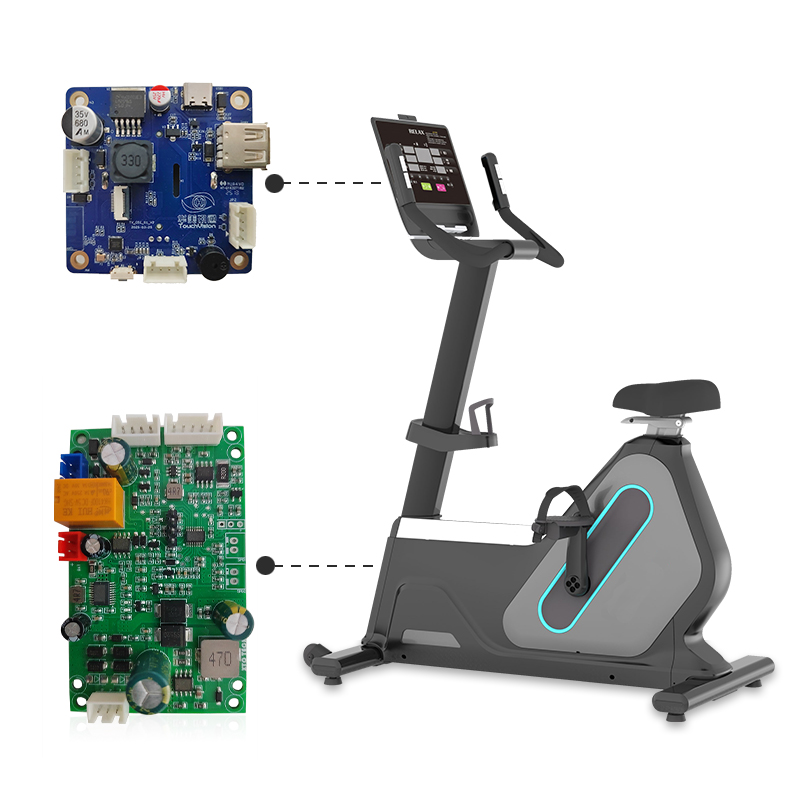
TouchVision’s BTV-3P-FMC is built this way. It combines a self-generating power-control module with a Bluetooth communication module on a TI Cortex-M0 class platform. The user’s motion powers the system; the controller sets resistance levels and measures speed, cadence and power; data goes to fitness apps over the standard FTMS profile and to the console board over Modbus. It is designed for rowing machines and exercise bikes, and the resistance curves, sensor inputs, Bluetooth naming and FTMS feature set can be customised.
Machines with a large touch console can pair that controller with an Android or Linux board such as the TV-RK3568 for streaming classes, or the cost-optimised TV-RK3308 with built-in audio. See our fitness equipment solutions for the full set, and our guide to infrared vs capacitive touch screens when choosing the console screen.
About TouchVision. TouchVision has designed and manufactured industrial touch displays, embedded boards, panel PCs, IoT gateways and edge AI computers since 2012, from standard models to full OEM/ODM projects. Standard products carry a 3-year warranty from delivery. For bespoke builds, see our custom fitness controller and board development on the TouchVision OEM/ODM site, or read about us.
Frequently asked questions
What does FTMS stand for?
FTMS stands for Fitness Machine Service, a Bluetooth Low Energy service defined by the Bluetooth SIG for treadmills, cross trainers, step and stair climbers, rowers and indoor bikes.
Which machines can use FTMS Bluetooth?
The specification covers treadmills, cross trainers, step climbers, stair climbers, rowers and indoor bikes, each with its own data characteristic.
Can an app change resistance over FTMS?
Yes, if the machine supports it. The app requests control through the Fitness Machine Control Point and then sends a target resistance level or target power.
Is FTMS the same as ANT+ FE-C?
No. Both let apps read and control trainers, but FTMS runs over Bluetooth Low Energy while FE-C is an ANT+ profile with its own radio stack.
Can an older machine get FTMS?
Sometimes. If the console hardware has a suitable Bluetooth radio, makers can add FTMS through a firmware update, often delivered through their own app.
Sources and standards referenced
- Bluetooth SIG: Fitness Machine Service 1.0
- Bluetooth SIG: Assigned numbers (characteristic and service UUIDs)
- Kinomap Support: What is the FTMS protocol?
Need a recommendation for your project?
Send your drawings, quantities and environment through our RFQ form and a TouchVision engineer will reply with a recommended configuration, quotation and sample plan. You can also call or WhatsApp +86 135 0532 6001.